


Sol Nutrition loyalty rewards and a subscription work best when you plan them together: set up your refills first, then check your rewards balance before you pay. This guide walks through that order for 2026, so the savings you expect match what lands at checkout.
- Set up your Sol Nutrition subscription first, then check your loyalty rewards balance before you pay.
- Whether rewards and subscription savings combine on one order is set by the store's current terms. Confirm at checkout.
- Subscribe only to products you already use daily; leave trial products as one-time orders.
- Review your subscription list every quarter in 2026 so refills match your routine.
Instead of reordering the same supplements by hand and forgetting your rewards at checkout, build one routine: a short subscription list, a rewards check before each order, and a calendar reminder to review both.
Verdict: Sol Nutrition's subscription is best for shoppers who take the same herbal supplements every day, and loyalty rewards are best treated as a bonus layered on top of that routine, not the reason to subscribe.
Why this matters
Subscription savings and loyalty rewards are two separate programs that reward the same behavior: coming back. Used together, they cut the cost of a routine you were going to follow anyway. Used carelessly, you end up with a refill box of something you stopped taking.
The rules for both live on the store, and they can change. This page does not quote reward rates, discount percentages or tier thresholds, because those figures belong to the current terms at Sol Nutrition. Read them on the day you order. What this guide gives you is the sequence that works regardless of the numbers.
For the subscription side in detail, the Subscribe & Save refill guide covers how automatic refills work.
Before you start
You need three things in place before you stack anything.
- A Sol Nutrition customer account. Rewards balances and subscriptions are tied to the account, so order while signed in, not as a guest.
- A short list of supplements you take daily. Subscriptions suit habits. If you are still testing a product, buy it once.
- The current terms open in a second tab. Check the subscription terms and the rewards terms side by side.
The gotcha that catches people mid-setup: ordering as a guest, then trying to claim rewards afterward. Sign in first. If you already placed a guest order, contact the store before assuming the rewards will attach.
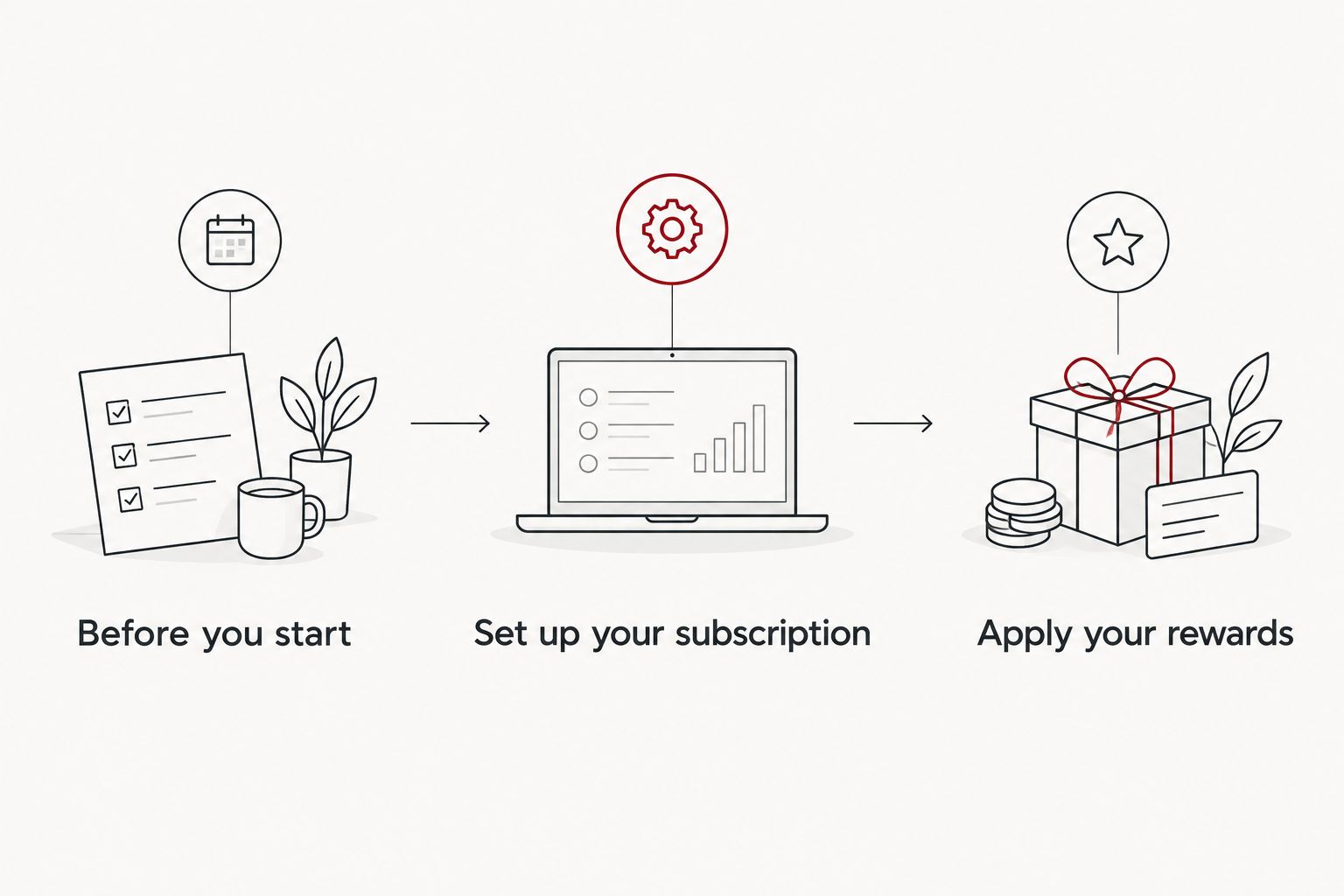
Set up your subscription
Pick the products that earn a place on a recurring schedule. A useful test is simple: would you be annoyed to run out? If yes, subscribe. If you are not sure, wait.
Examples of how shoppers match a routine to a product:
- A digestive routine built around Belly Reset, which fits gut-focused daily habits.
- A morning routine built around GoGo Energy, for people who want an everyday energy option.
These are examples of fit, not medical advice. Sol Nutrition supplements support wellness routines and are not intended to diagnose, treat or cure any condition. If you take medication or are pregnant or nursing, talk to your clinician before starting anything new.
Steps
- Sign in to your Sol Nutrition account.
- Open the product page for a supplement you take every day.
- Choose the subscription option on the product page if it is offered for that product, and select your delivery frequency.
- Add it to your cart and repeat for any other daily products.
- Review the cart summary before moving on.
Expected result: your cart shows each subscribed product with its delivery frequency, and the subscription discount, if one applies, appears in the cart or order summary. If you do not see a discount line, stop and check the product's subscription terms before you pay.
Apply your rewards
Rewards come second because your cart total has to be settled before you know what to redeem against it.
- Check your rewards balance in your account.
- Read the redemption terms: what a point or credit is worth, whether there is a minimum, and whether it can be used on subscription orders.
- Apply the reward at checkout using whatever field or button the store shows for it.
- Confirm the order total changed before you submit payment.
Expected result: the checkout total drops by the reward value, and the subscription discount, if applicable, stays in place. If one cancels the other, the terms do not allow stacking on that order. In that case, compare the two totals and keep the lower one.
Second variant: earn rewards on every refill
The other half of the workflow is what happens after the first order. Each refill is an order, so your account activity continues after you set it up.
- Confirm in the rewards terms whether recurring orders earn rewards the same way as one-time orders.
- Check your balance after the first refill ships, not just after the first purchase.
- If a refill does not show up in your rewards activity, send the store your order number so they can look into it.
This is the part most people skip, and it is where a subscription quietly pays off or quietly leaks value.
Troubleshooting
- The reward will not apply at checkout. Check that you are signed in and that the reward is eligible for the products in the cart. Some rewards have conditions.
- The subscription discount disappeared after applying a reward. The two may not combine on one order. Compare totals and pick the better one.
- Your refill shipped but no rewards appeared. Wait for the order to be marked fulfilled, then check again. If nothing posts, contact the store with the order number.
- You are about to receive a product you no longer use. Pause or cancel from your account before the next refill date, not after.
- You subscribed to too many products at once. Cut the list to the products you would reorder without thinking. Add the rest one at a time.
Customize your workflow
Once the basics work, tune them.
- Match frequency to usage. If you finish a bottle early or late, change the delivery frequency instead of living with a mismatch.
- Add one product at a time. A routine that grows slowly is easier to keep. For an energy-focused add-on, steady energy support for busy days shows how shoppers think about building that layer.
- Set a quarterly review. Put a recurring reminder in your calendar for 2026: open your account, check what is subscribed, check your rewards balance, and trim anything you stopped using.
- Gift cards are separate. A Sol Nutrition Gift Card is a different purchase from a subscription. Check the terms before assuming a gift card order earns rewards.
Subscription vs. rewards: what each one is good for
| Subscription | Loyalty rewards | |
|---|---|---|
| Best for | Daily-use supplements | Shoppers who order repeatedly |
| Main benefit | Automatic refills on your schedule | A balance you can redeem on future orders |
| Main risk | Shipping product you no longer use | Letting the balance sit unused |
| When to act | Before each refill date | Before each checkout |
The honest pro of the pair: you spend less effort and may spend less money on a routine you already follow. The honest con: both reward commitment, so they cost you if your routine changes and you stop paying attention. The exact savings depend on the store's 2026 terms, which this guide does not quote.
FAQ
Can I use Sol Nutrition loyalty rewards on a subscription order?
It depends on the store's current terms. Check the rewards terms and the checkout screen: if the reward lowers your total and the subscription discount stays, they stack on that order.
Should I subscribe to every supplement I buy?
No. Subscribe only to products you take daily and would hate to run out of. Buy anything you are still testing as a one-time order.
Do refills earn loyalty rewards?
Check the rewards terms to confirm. After your first refill ships, look at your rewards activity to verify it posted.
What should I do if a reward will not apply?
Make sure you are signed in, then check whether the reward has conditions tied to the products in your cart. If it still fails, contact Sol Nutrition with your order number.
How often should I review my subscription in 2026?
Once a quarter is a practical rhythm. Check what is subscribed, whether the delivery frequency still fits, and what your rewards balance looks like.
Can I cancel or pause a subscription?
Manage it from your account before the next refill date. Check the subscription terms for the exact steps and any timing limits.
Is a Sol Nutrition Gift Card part of the rewards program?
Treat it as a separate purchase. Confirm in the current rewards terms whether gift card purchases earn anything.
One last thing
The most useful move is not a hack. Before you pay for any order in 2026, compare two totals: the cart with the subscription discount and the cart with the reward applied. Take the lower one, and write down which program won so you remember next time.
Share:
Joint and energy supplements for retail and hospitality workers: complete 2026 guide
How the Sol Nutrition quiz builds your supplement stack