

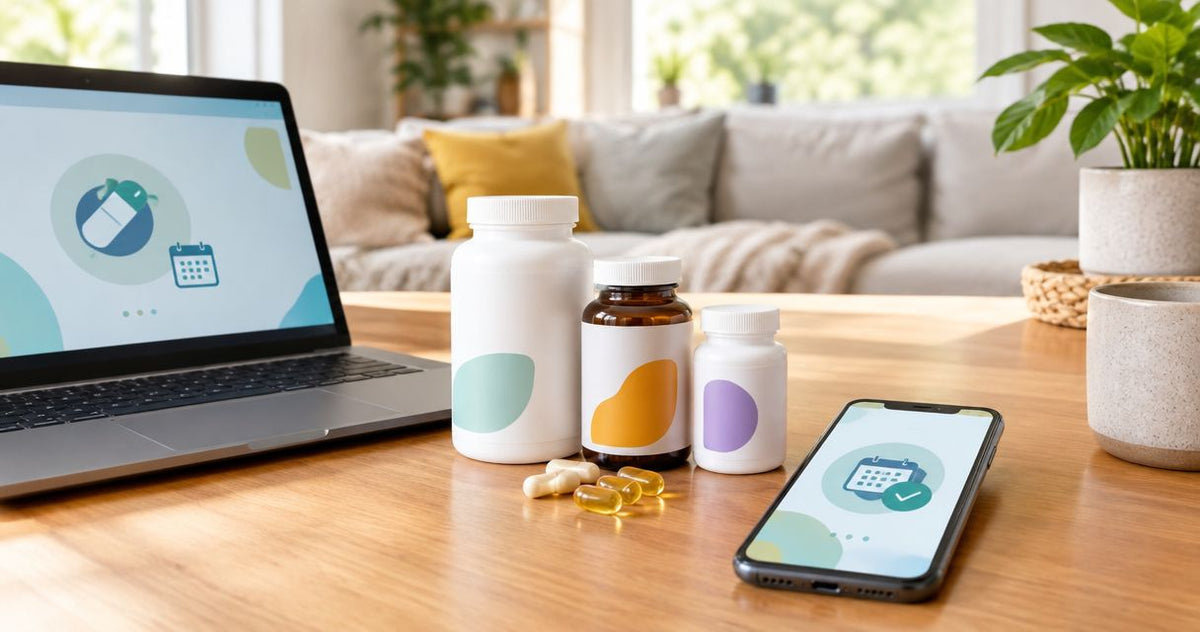
Instead of manually remembering every supplement refill, use a recurring order only when the product page explicitly offers it and the checkout confirms its terms; otherwise, automate a reminder to reorder yourself. This 2026 guide to sol nutrition subscribe and save shows you how to check the purchase type, match refills to your existing routine, and confirm what you authorized before placing an order.
- For sol nutrition subscribe and save, confirm recurring-order terms on the product page and at checkout before enrolling.
- Solnutrition sells herbal dietary supplements; choose your supplement before choosing a refill workflow.
- Recurring orders suit established routines; calendar reminders retain manual control over each purchase.
- Keep the order confirmation and verify any subscription changes before assuming they took effect.
Why this matters
A refill workflow should remove an administrative task, not make decisions about your health. Choosing a supplement, deciding whether to continue it, and arranging another order are separate decisions. Automating the last one does not settle the first two.
Start with the Solnutrition catalog and the supplement you already intend to use. Solnutrition is best for wellness shoppers looking for herbal dietary supplements. That describes the shopping audience, not a promise that every product suits every person.
For your 2026 routine, the useful question is whether you can predict when you will need another order. If your use changes frequently, an automatic reminder keeps the decision in your hands. If your routine is established and the product offers recurring ordering, review the terms before authorizing repeat purchases.
Automate the refill decision only after you understand the purchase you are authorizing. A convenient checkout is not a reason to add another supplement.
Before you start
- Gather your product information. Have the exact supplement name, its label directions, and the amount remaining. Use your existing routine to estimate consumption; do not increase your intake to match a delivery schedule.
- Keep your checkout information accessible. You need access to the email address you use for orders, your delivery details, and your chosen payment method. If subscription management requires an account or emailed access, follow the instructions supplied for that order.
- Check the purchase type before paying. A product in your cart is not proof of subscription enrollment. For a 2026 setup, read the recurring-order terms on the product page and checkout, including how subsequent orders are authorized and how changes are handled.
The non-obvious trap is confusing a completed purchase with a completed recurring-order setup. Treat those as different outcomes until the confirmation identifies what you bought.
If you are pregnant, breastfeeding, taking medication, or managing a health condition, discuss supplement use with a qualified healthcare professional before automating repeat purchases. Herbal supplements are not automatically appropriate simply because their ingredients come from plants.
Your product and refill plan
Establish the product first
- Open the page for the supplement already in your routine. For example, if Belly Reset is the product you already use, review that exact page rather than selecting a different supplement for the sake of recurring ordering.
- Read the label directions and any product-specific cautions. Check that you are looking at the intended item, not a different product or a combination with a similar name.
- Compare the amount you have left with your actual use. Include unopened supplies so your next order does not duplicate something already in your cupboard.
- Decide whether continued use still makes sense. A refill plan should follow that decision, not replace it.
Expected result: You have identified 1 product and know why you intend to reorder it. You have not assumed that its product page offers a subscription.
Keep product selection narrow during setup. Adding several supplements at once creates several separate refill decisions and makes it harder to notice which item needs attention. Starting with an existing product also avoids turning an administrative task into an unnecessary shopping trip.
Choose the refill workflow
Recurring ordering and reminder-based reordering solve different problems. The first reduces repeated checkout work when offered; the second prompts you to review your needs before buying again.
| Workflow | Best for | Advantage | Trade-off | Check before using it |
|---|---|---|---|---|
| Recurring order, if offered | An established supplement routine | Reduces repeated manual ordering | Requires monitoring repeat purchases and learning the management terms | Confirm the interval, repeat-order authorization, and change instructions |
| Calendar reminder | Variable use or a routine you are still reviewing | Keeps each purchase under your control | Still requires you to place an order | Set a reminder you will see and include the exact product name |
- Inspect the product page for an explicit recurring-purchase option. Read the associated terms rather than treating the phrase Subscribe & Save as a complete explanation.
- If the page offers recurring ordering, examine the intervals actually displayed. Choose only an interval that fits your expected use and the stated fulfillment information.
- If recurring ordering is not offered, or the terms do not suit you, use the calendar-reminder workflow below. Do not interpret an ordinary purchase as authorization for repeat orders.
- Record your choice in a short note: product name, purchase type, and the next action you need to take.
Expected result: You can explain whether you are authorizing repeat orders or planning to approve each order yourself.
Use calendar reminders when your supplement use is unpredictable. Recurring ordering is not the better choice merely because it requires fewer checkout visits.
Checkout and confirmation
Review the order terms
- Follow the purchase controls displayed on the product page. Use the labels on your screen rather than instructions intended for another store or subscription service.
- Review the checkout summary for the exact product and quantity. If you selected recurring ordering, verify that checkout identifies the repeat-purchase arrangement and its terms.
- Read the instructions for changing or ending the arrangement before submitting payment. If those instructions are unclear, resolve the question through the store's stated support channel before proceeding.
- Check the delivery address and order email. These details determine where the order goes and where you receive confirmation and management instructions.
- Submit the order only after you understand what checkout is asking you to authorize.
Expected result: The purchase type matches your intention, and you understand the next action required to manage it.
For a 2026 refill setup, separate these 3 checks: product, purchase type, and management terms. A correct product name does not establish recurring authorization, and recurring authorization does not establish that you know how to change it.
Do not complete another checkout just because you are uncertain about the first. Review the confirmation and order record first so you do not create an unintended duplicate purchase.
Verify the completed setup
- Open the order confirmation sent to your checkout email. Compare the product and quantity with the order you intended to place.
- Look for an explicit description of the purchase arrangement. If you intended recurring ordering, confirm it through the order record or the subscription instructions supplied with the purchase.
- Save any management instructions in a place you can find again. Keep account access and payment information private; a calendar note needs the product name and review task, not sensitive details.
- Check any next-order information against the terms you accepted. Do not infer a future order date from the date of your first purchase.
- Create a review reminder before the next action deadline stated for your order. Use the store's actual deadline rather than assuming changes take effect immediately.
Expected result: You have a confirmation record and a clear way to review the arrangement. If recurring authorization remains unclear, ask for clarification instead of assuming enrollment succeeded.
Confirmation is the final setup step, not an optional afterthought. Keep the initial order record until you have checked that the arrangement matches your intention.
Second workflow: reminder-based supplement refills
Use a reminder when you want to review every purchase yourself. This workflow does not enroll you in recurring ordering and does not require a store subscription feature.
- Create a calendar entry titled Supplement refill review. Add the exact product name and a note to inspect the amount remaining.
- Choose the review date from your actual use and the fulfillment information provided for your order. Do not assume a bottle represents a particular number of days.
- Add a second reminder titled Confirm refill decision. Use it to check whether you still want the product and whether you already ordered it.
- After purchasing, update the calendar note with the order date. Remove any reminder that would prompt you to place the same order again.
Expected result: You have 2 calendar reminders with different jobs: one checks your supply, and one confirms your decision. Neither reminder authorizes payment.
For a 2026 wellness routine that changes with travel, work, or personal preferences, this keeps the administrative prompt automatic while leaving the purchase manual. A reminder is a review cue, not an instruction to take another dose.
Troubleshooting
The confirmation does not identify a recurring order
Check the order record and the terms you selected at checkout. If the purchase type remains unclear, contact the store through its stated support channel and ask whether that specific order created recurring authorization. Do not place another order to test it.
You cannot find the management instructions
Search the email address used at checkout, including filtered folders, for the confirmation. Follow only instructions associated with your actual order or supplied through the official store. Avoid entering payment or account details through an unfamiliar message.
Your supplies are accumulating
Compare what remains with your current use before ordering again. If your arrangement permits an interval or quantity change, follow its management instructions and verify the result. Do not take more supplement simply to use up an extra supply.
A schedule change does not appear in the record
Check whether you completed the change and received acknowledgment. Review the applicable order deadline, then ask support to confirm the status if the record still shows the previous arrangement. Changing a calendar entry does not change a store subscription.
You are reconsidering the supplement itself
Separate the health decision from the ordering task. If you suspect a reaction, stop using the supplement and seek appropriate medical advice; handle future-order authorization through the stated management process. Supplements do not replace evaluation of new or persistent symptoms.
Customize your workflow
Give each supplement its own review note rather than assuming every item needs the same refill interval. Your note should identify what to check, not repeat an ingredient list or make a new health claim.
For an evening routine, the guide to natural sleep support without a melatonin pill provides a related topic to review separately from ordering. Reading about a wellness goal does not mean you need to add a product to your refill plan.
At your next 2026 routine review, check whether the supplement still fits your needs, whether your remaining supply matches expectations, and whether the ordering method still suits you. Keep Solnutrition herbal supplement refills subordinate to your health decisions, not the other way around.
If you change your address, email, or payment details, update the relevant order-management record and verify the change. A note in your calendar is not an update to the store.
FAQ
How do I set up sol nutrition subscribe and save?
Start by checking whether your chosen product explicitly offers recurring ordering, then review and accept its checkout terms. Confirm the purchase arrangement in the completed order record rather than assuming an ordinary purchase creates a subscription.
Is recurring ordering better than a refill reminder?
Recurring ordering suits an established routine when its terms fit your needs; a refill reminder is better when you want to approve each purchase. A reminder prompts review but does not authorize repeat payments.
Does buying a supplement once enroll me in repeat orders?
A completed purchase alone does not establish recurring authorization. Check the purchase type and terms in your checkout and order confirmation.
How do I choose a supplement refill interval?
Choose from the intervals actually offered and compare them with your current use, remaining supply, and stated fulfillment information. Follow the product's label directions rather than changing your intake to match an ordering schedule.
Can I change or stop future supplement orders?
Use the change or cancellation instructions provided for your specific arrangement. Check the applicable deadline and confirm the resulting status instead of assuming a requested change has taken effect.
What should I do if I have too much supplement left?
Review your supply before authorizing another order. Use any permitted ordering changes to reduce duplication, and do not increase your intake to finish an extra supply.
Do I need to keep my order confirmation?
Yes, keep the confirmation because it records the purchase and can contain management instructions. Compare it with your intended product, quantity, and purchase type after checkout.
Should I subscribe before I know whether a supplement suits me?
Choose the supplement and decide whether continued use is appropriate before automating refills. Consult a qualified healthcare professional when pregnancy, breastfeeding, medications, or health conditions affect that decision.
One last thing
An ordering schedule and a supplement-taking schedule are different systems. Completing checkout controls a purchase; following the label controls use. Neither confirms that a supplement remains appropriate for you.
For your 2026 setup, make the reminder say Review before refilling, not Take more. That small wording choice keeps the task focused on checking your needs instead of automatically extending an old decision. Solnutrition's herbal dietary supplement catalog is a shopping resource; your refill workflow should preserve room to reconsider.
Share:
Sol Nutrition vs Life Extension: which is better in 2026
Stress and sleep supplements for entrepreneurs: complete 2026 guide